Local SEO · 7 min read
How to rank in Google’s map pack in your town
The short answer
Google ranks local results on three factors: relevance, distance and prominence. You can’t change where searchers are, so focus on relevance (a complete, accurate Business Profile with the right category and services) and prominence (reviews, replies, links and mentions). Your website’s service and area pages support both.
Key points
- Your primary category is the single biggest relevance setting.
- Steady reviews and replies build prominence.
- Google says you can’t pay for a better local ranking.
What the map pack is
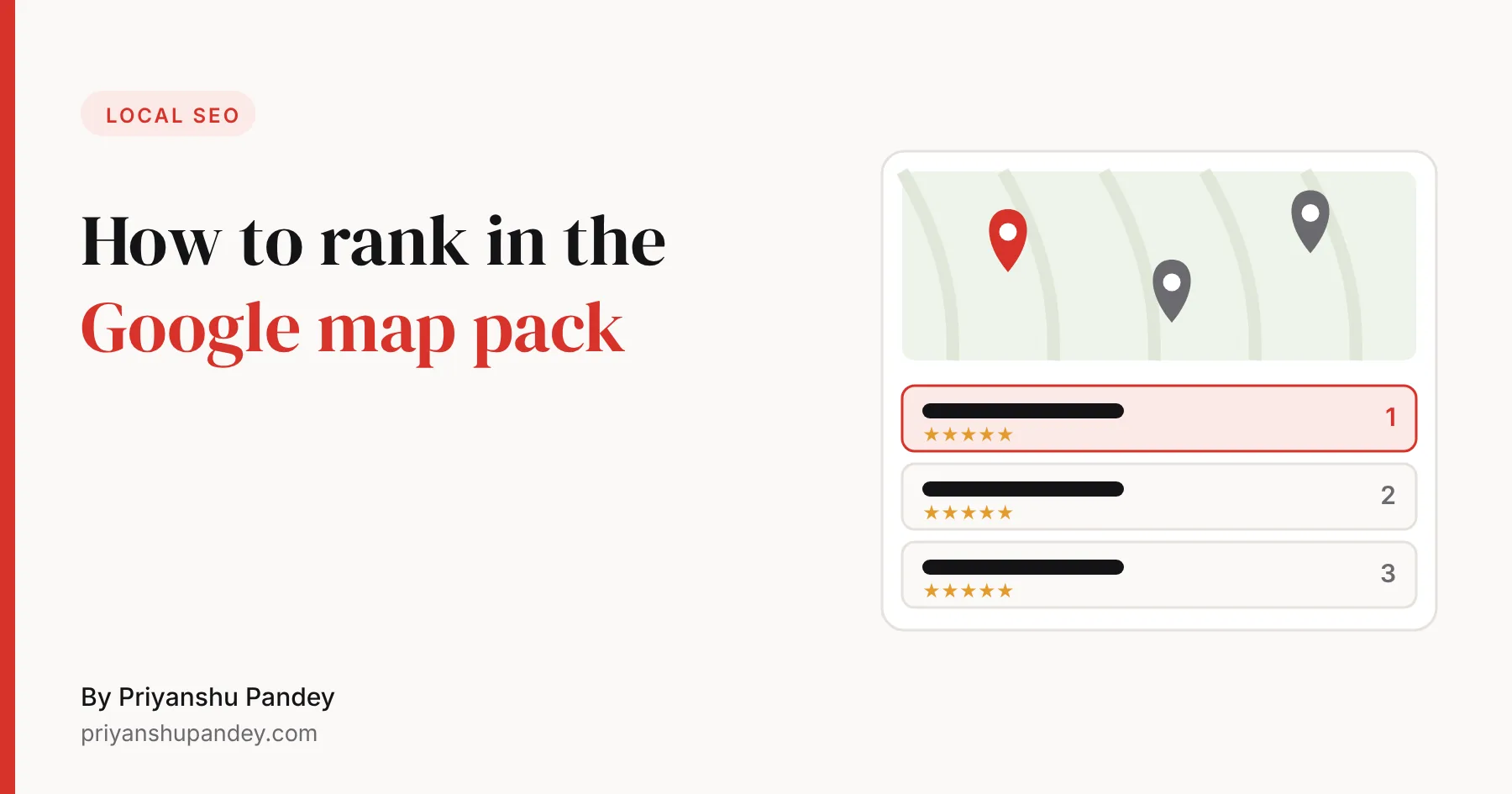
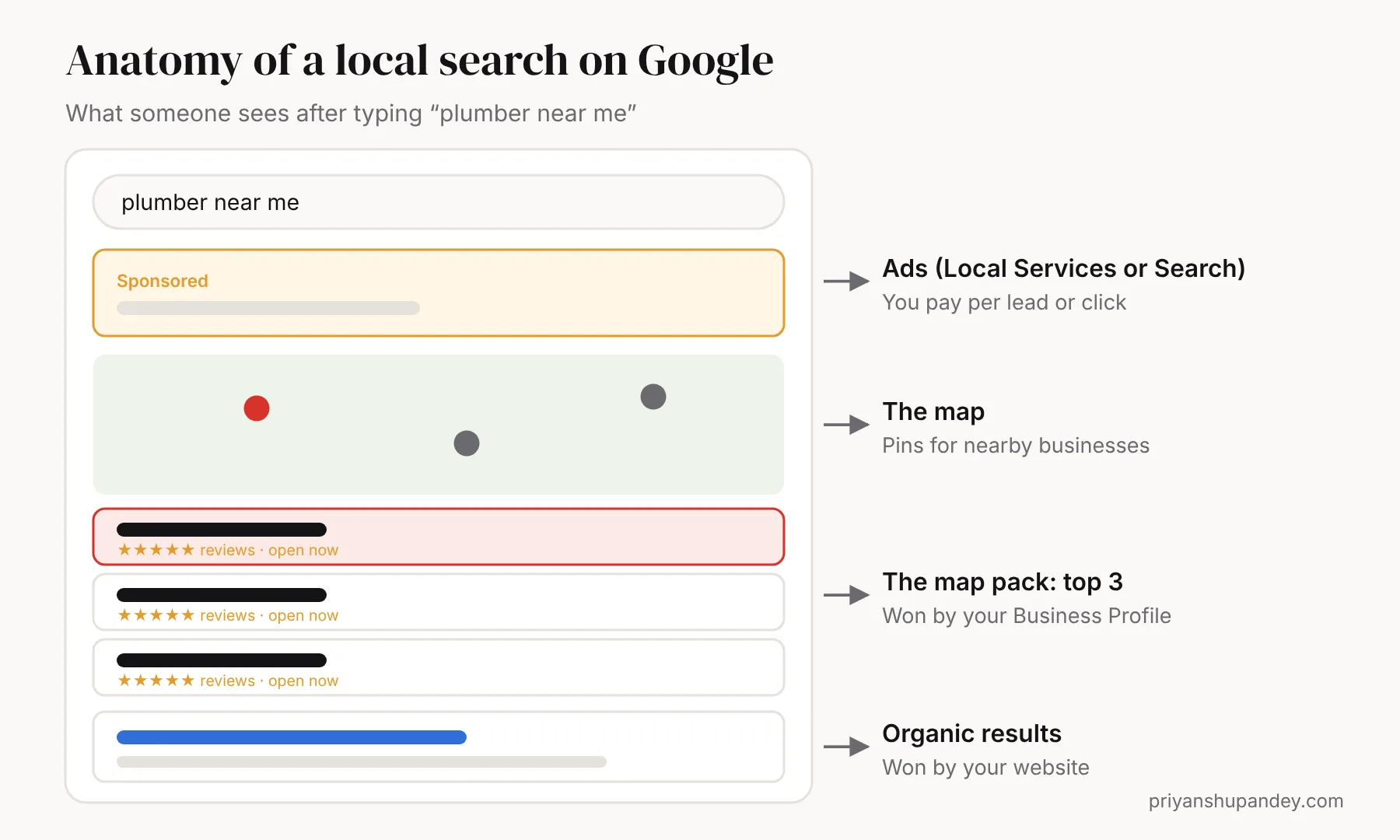
When someone searches for a local service, such as “plumber near me” or “dentist in Reading”, Google usually shows a map with three businesses underneath it. That block is the map pack, sometimes called the local pack. It sits above the normal website results, so the three businesses in it get most of the calls.
How Google decides who appears
Google’s own help page says local results are mainly based on relevance, distance and prominence, and that there is no way to pay for a better local ranking.
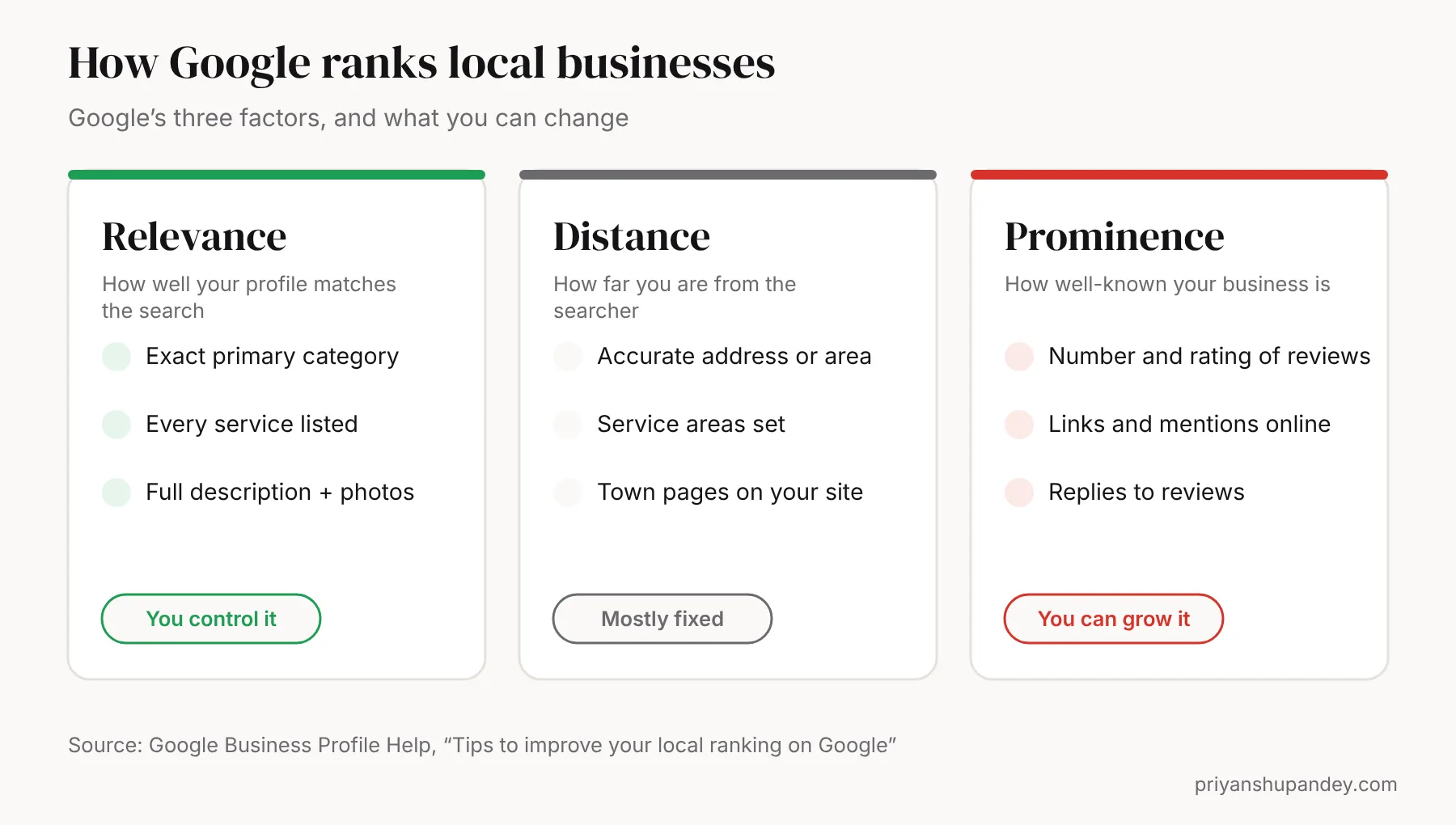
- Relevance is how well your Business Profile matches the search. Complete, detailed information helps Google match you.
- Distance is how far you are from the searcher. You can’t move, but you can set your service areas correctly.
- Prominence is how well-known you are. Google names links from other websites, and the number and rating of reviews.
Step by step: getting into the top three
- Claim and verify your Business Profile. Go to business.google.com and verify ownership. Google says verified businesses are more likely to appear in results.
- Choose the most specific primary category. “Emergency plumber” or “Cosmetic dentist” beats a vague category if it matches what you do. Add secondary categories only for services you genuinely offer.
- Fill in every field. Services with short descriptions, opening hours (including holidays), service areas, attributes, a business description written for customers, and your website link.
- Add real photos every month. Your team, vehicles, premises and finished jobs. Google suggests photos and videos to show what you offer.
- Ask every happy customer for a review. Use your profile’s short review link, send it by text or WhatsApp straight after the job, and print it as a QR code for the counter or van. My free review QR code generator makes one in seconds.
- Reply to every review. Thank good reviews by name and the job done; answer poor ones calmly with how you’ll fix it. Google lists responding to reviews as a way to improve your ranking.
- Keep your details identical everywhere. Your business name, address and phone number should match exactly on your website, profile, Facebook, Yell, Checkatrade and other directories.
- Build a page for each service and area. One genuinely useful page per main service, and one per town you cover, with real local detail: the areas, typical jobs there, prices and photos.
- Earn local links. Suppliers, trade bodies, local clubs you sponsor and local news all count. A few relevant local links beat dozens of random directory links.
- Post updates. Offers, seasonal tips and recent jobs keep the profile active and give searchers a reason to choose you.
Choosing your primary category: examples
Your primary category tells Google what you are. Pick the most specific one that is true, then add secondary categories for other real services.
| Business | Strong primary category | Useful secondary categories |
|---|---|---|
| Emergency plumbing firm | Plumber | Emergency plumber, Boiler repair service, Drainage service |
| Domestic electrician | Electrician | Electric vehicle charging station contractor, Lighting contractor |
| Family dental practice | Dentist | Cosmetic dentist, Emergency dental service |
| Hair salon | Hair salon | Hairdresser, Beauty salon |
| Café | Coffee shop | Breakfast restaurant, Cafe |
Category names change over time, so pick from the list Google shows you when you edit your profile, and look at which categories the businesses in the current top three use.
Copy-and-paste templates
Business description (750 characters max)
“[Business name] is a [trade/service] based in [town], serving [area 1], [area 2] and [area 3]. We specialise in [service 1], [service 2] and [service 3] for [homeowners/businesses]. [Accreditation, e.g. Gas Safe registered]. [Proof, e.g. 15 years’ experience, 200+ five-star reviews]. Call or message us for a free quote.”
Review request message
“Hi [name], thanks for choosing us for your [job]. If you were happy with the work, a quick Google review would really help a small local business like ours: [review link]. Thank you! – [your name]”
Send it the same day, while the job is fresh. Never offer discounts or gifts for reviews: that breaks Google’s policies.
If you don’t have a shopfront
Most trades work from home or a yard. Google calls these service-area businesses. Hide your address on the profile, set the towns or postcodes you cover as service areas, and make sure your website lists the same areas. You can still rank in the map pack; distance is then judged against your hidden address.
How your website helps your map ranking
Your Business Profile links to your website, and Google uses the site to understand what you do and where. A strong site helps in three ways:
- Relevance: service pages confirm the services in your profile.
- Location: area pages and your address in the footer confirm where you work.
- Trust: reviews, accreditations and real photos make visitors more likely to call, which is the point of ranking at all.
Add LocalBusiness structured data to your contact page so search engines can read your name, address and hours. My free local business schema generator writes the code for you.
Pre-launch checklist
- Every product, collection and page has its old title and meta description.
- Image alt text carried over.
- Redirect CSV imported and spot-checked.
- Test orders placed and refunded; emails checked.
- VAT, shipping zones and payment provider confirmed.
- Google Analytics 4, Meta pixel and Google Merchant Center connected.
- Old site backed up and kept offline, not live on another URL.
Replacing common WooCommerce plugins
| WooCommerce plugin type | On Shopify |
|---|---|
| Yoast or Rank Math (SEO fields) | Built-in title and description fields per page |
| Product reviews | A reviews app such as Judge.me, which can import your old reviews |
| Abandoned cart emails | Built into Shopify |
| Payment gateways | Shopify Payments or your existing provider |
| Product feeds for Google | Google & YouTube sales channel |
What to expect in Search Console afterwards
In the first two weeks you’ll see Google crawl the new URLs and report the old ones as redirected. Impressions often dip slightly, then recover within two to six weeks as Google transfers signals to the new pages. Keep an eye on three things: new “Not found (404)” errors, pages that suddenly lose impressions, and your top 20 queries. Each points to a redirect or a page to check.
Common mistakes that hold businesses back
| Mistake | Why it hurts | Fix |
|---|---|---|
| Keywords stuffed into the business name | Against Google’s guidelines and can get the profile suspended | Use your real business name |
| Wrong or vague primary category | You don’t match the searches you want | Pick the most specific accurate category |
| A burst of reviews, then none | Looks unnatural and goes stale | Ask after every job, every week |
| Different phone numbers online | Confuses Google and customers | One number everywhere |
| Town pages with only the name swapped | Thin, duplicate content | Write each area page with real local detail |
A 20-minute weekly routine
- Send the review link to every customer from this week.
- Reply to every new review.
- Add two or three photos of recent jobs.
- Publish one update or offer on your profile.
- Answer any new questions on your profile.
- Once a month, search your main service + town and note who is in the top three.
How long it takes
Profile fixes such as the category, services and photos can help within a few weeks. Reviews and links build up over months. In a less competitive town, expect clear movement in two to three months; in a busy city, plan for six months or more. Check your progress with my free local SEO checker.
Need help with this?
SEO, done for you.
I plan it, my specialist team delivers it, and you get a fixed written quote after a free call.